
Current Colors

Our current color rotation is 11 colors that can be used alone or layered with each other to create a full spectrum of colors.
Riso Masters print in a greyscale, where the scale reads tone as ink opacity. The duplicator can read images in up to 600 dpi. As a digital or physical file, each master should be ready to print as a greyscale image.
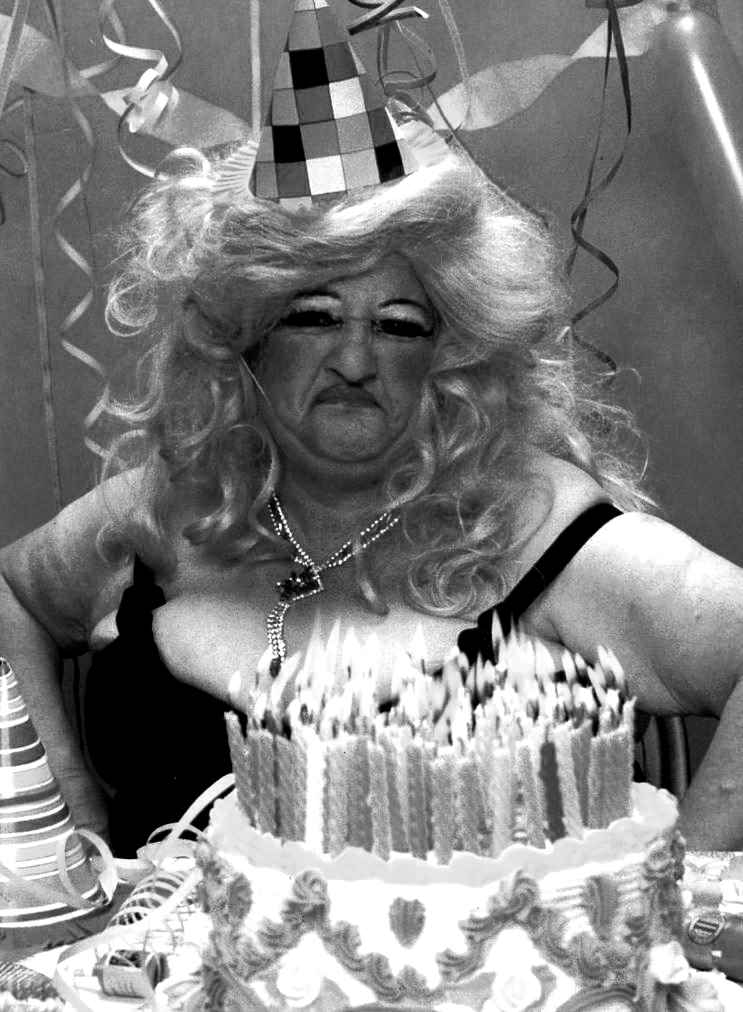

This is what a greyscale master will look like, and then the same master printed in Flo. Pink.
Photo separations can be very helpful to preview files or create printable files from photos. This is an image of Edith Massey, a popular film star.
These photo separation layers can be made using digital programs such as Photoshop, Affinity or Spectrolite.
DUOTONE - 2 COLORS
Using Lake and Flo. Pink

3 COLORS
Using Light Lime, Lake and Flo. Pink
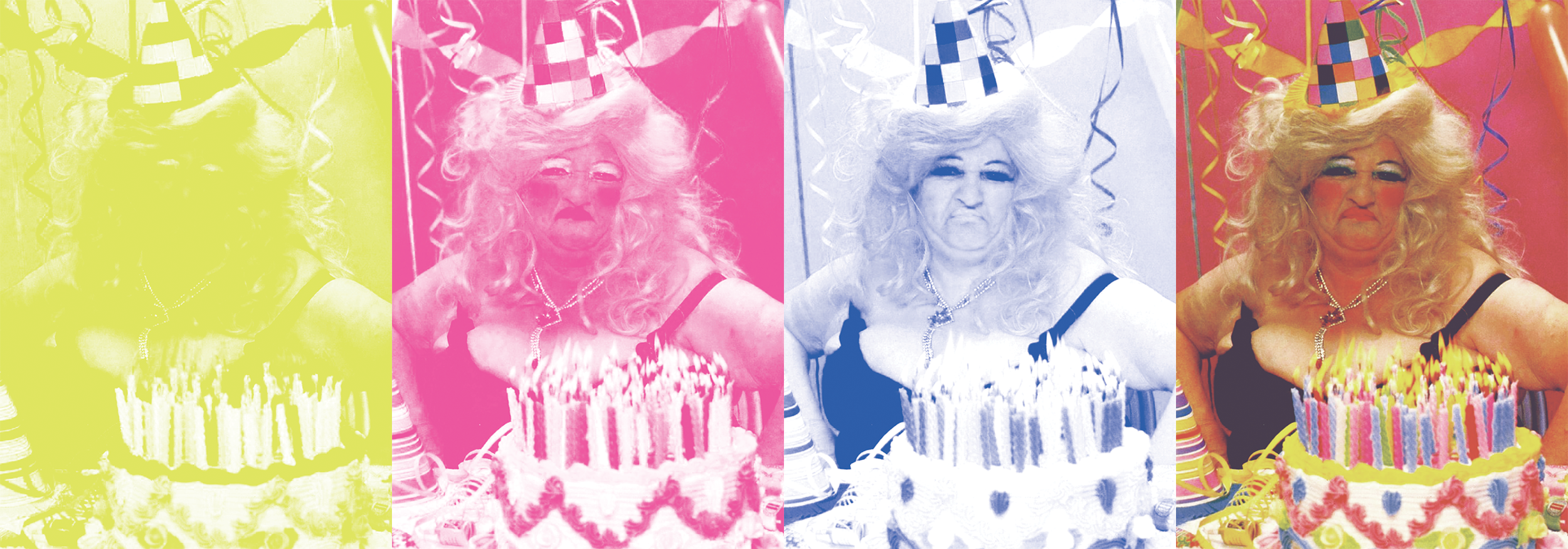
CMYK - 4 COLORS
Using Cornflower Blue, Flo. Pink, Yellow and Black.
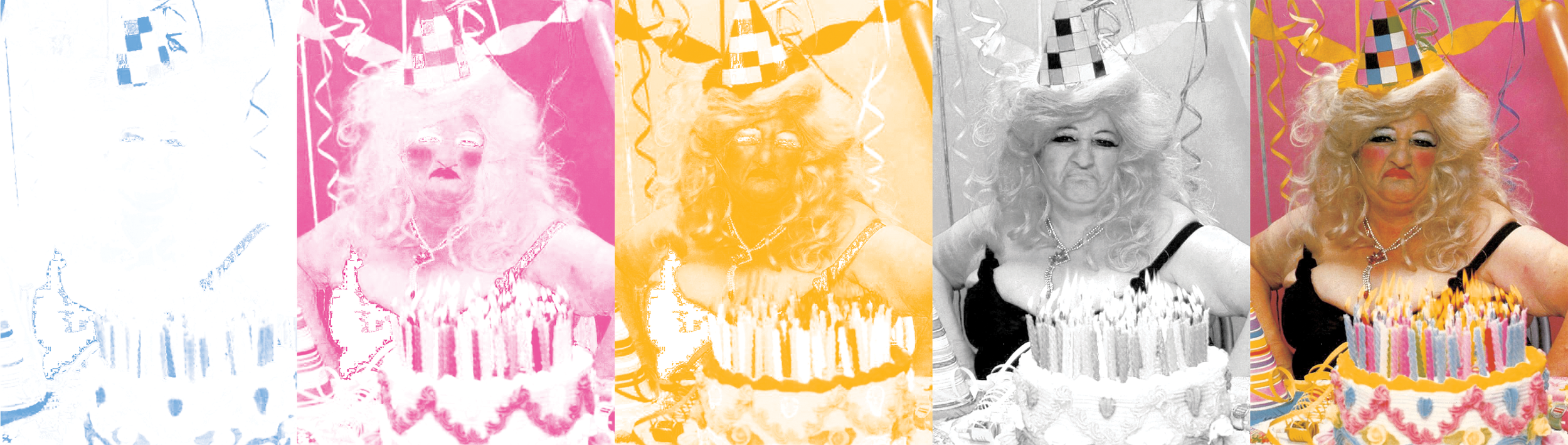
Using Cornflower, Flo. Pink, Sunflower and Black, is a standard CMYK print.
CMYKinda is changing the color inks used in a 4- color CMYK, fine tuning the final tone of the image.
Alignments and Imperfections


Although we strive for perfection, due to the nature of the Risograph machine, often pages an be misaligned up to 5mm from impression to impression. We advise you to take this into account when designing and allow for the imperfections to flow with the design.
This is part of the beauty of Risograph! Embrace it!
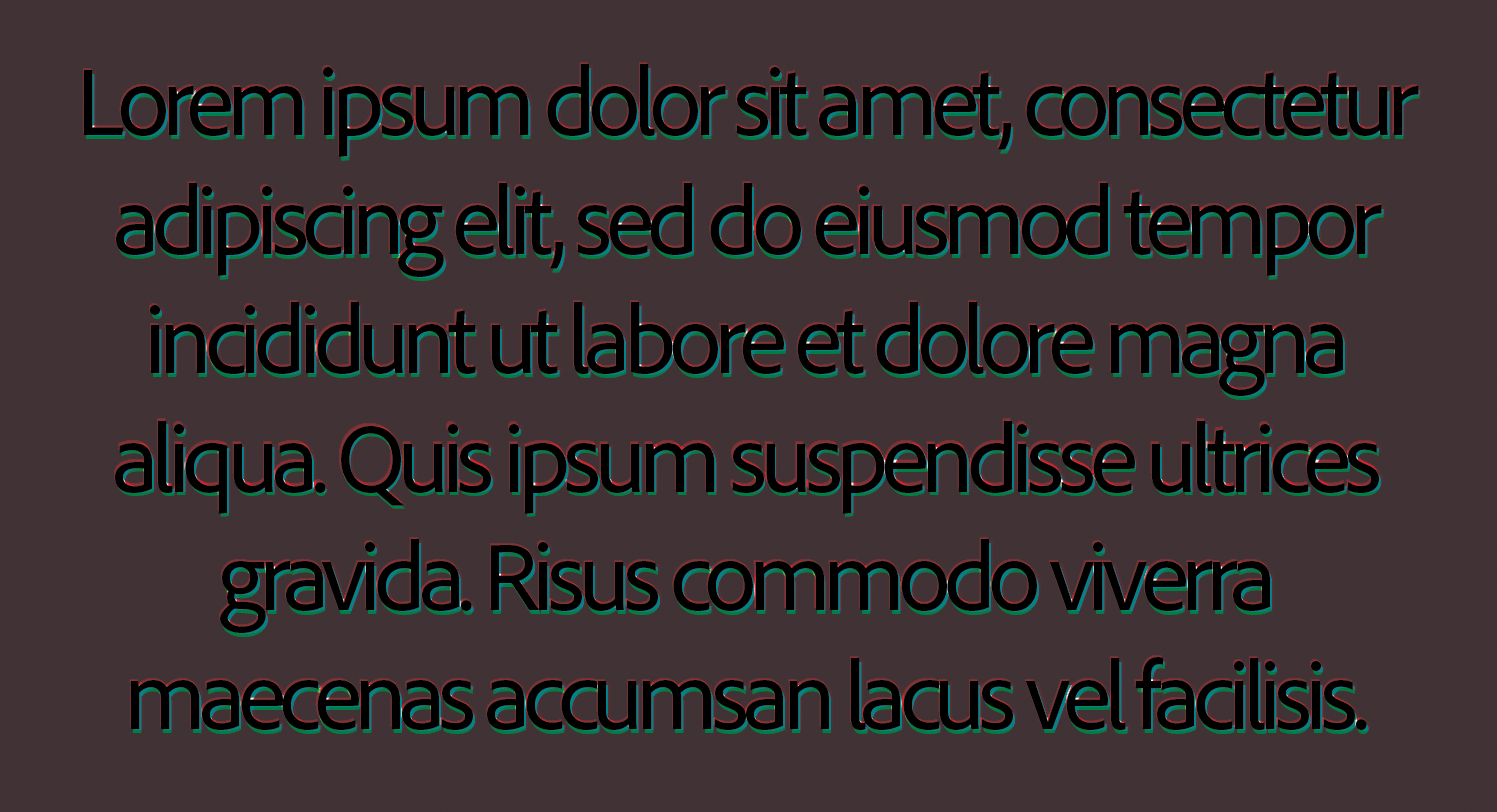
When the image is “punched out” the misalignment is very obvious. Please allow for at least 3-5mm of extra trapping to obtain neater results. When using a complete overlay, there are no signs of shifting but will result in a unique color blend.


Text does not often do well with misalignment. Please use extra caution when using a fine text or small details.
Quirks and Marks
Because of the nature of the soy ink the Risograph uses, the ink takes 24 hours to “cure” but never fully dries. When running multi color prints, we wait 24 hours in between layers but roller marks are still common. They are the result of the pickup wheel collecting ink from print to print.
The backs of prints can also gain some smudging from the stack of wet ink prints coming off of the printer.
Both of these issues can easily be minimized using a standard rubber eraser on the stray marks.